How to Evaluate Restaurant Table Lamp Light for Menus
A buyer-side sample plan for evaluating menu readability, glare, shadows, table fit, operating modes and model-specific photometric data.
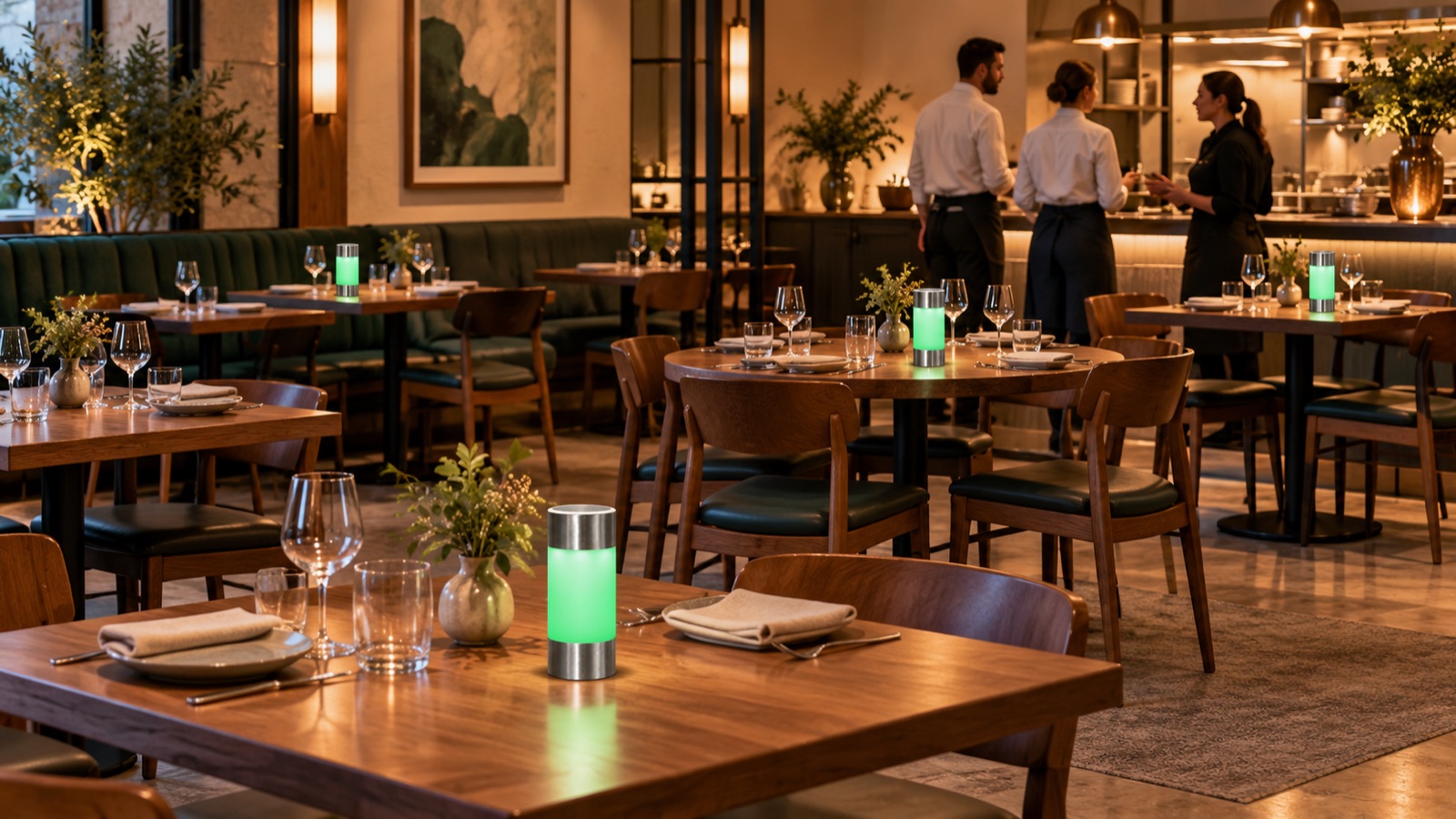
Quick answer: how do you know if a cordless table lamp is bright enough for a restaurant menu?
Do not decide from battery capacity, a product photo or a claim such as “warm ambient light.” Evaluate the exact lamp in the actual room with the venue’s menu, tabletop finish and normal ambient lighting. Check whether guests can read the menu comfortably, whether the lamp creates glare or hard shadows, and whether it competes with food presentation or neighboring tables. Record the result at the intended placement and brightness setting, then ask the supplier for verified photometric and control data before comparing models.
For JBTD-137, the public product information reviewed lists rated lamp power as 0.6 W and describes green and red visual states. It does not provide a lumen output, color temperature, dimming range, beam distribution or illuminance measurement. Wattage and battery capacity alone cannot answer whether a guest can read a particular menu under a particular room’s lighting.
Introduction: menu comfort is a scene question
Restaurant buyers often compare rechargeable lamps through online photos. Those images can communicate shape and color, but they cannot reproduce the brightness of a real venue, the reflectance of a tabletop, the paper stock of a menu or the sightline from a seated guest’s position. A lamp that looks attractive in a dark product shot may create a bright point or reflection at the table. Another may preserve the room’s atmosphere but leave small print difficult to read.
The decision is not simply “bright” versus “dim.” A hospitality table can serve several purposes at once: guests read a menu, view food, talk across the table and navigate glassware and cutlery. A lamp’s placement changes the shadow direction and can create reflections. Room lighting, daylight, wall color, table finish and menu design all affect the result.
This guide provides a buyer-side evaluation plan. It does not report a measured result for JBTD-137 or any other specific model. Instead, it shows how to request the right data, conduct a controlled in-venue sample review, and document the decision in a way purchasing, operations and design teams can use. The JBTD-137 product page lists selected electrical and visual-state information but no public photometric output; request current documentation before selection.
What “enough light” means at a dining table
There is no single brightness figure that guarantees comfortable menu reading in every restaurant. An objective photometric specification is useful, but it must be interpreted with the lamp’s distribution, placement and ambient conditions. A lumen value describes total emitted luminous flux; it does not by itself tell a buyer how much light reaches a menu at a particular point. Beam pattern, mounting height, orientation, surface reflectance and background light also matter.
Ask the supplier for model-specific data where available:
- Luminous flux, with the measurement basis and operating state.
- Color temperature and color-rendering data, if provided.
- Beam or light-distribution information.
- Dimming steps or control modes, if the model has them.
- Rated electrical input and relevant configuration details.
- Any test report or technical document that identifies the model and revision.
If a supplier does not have photometric data, record that limitation. A visual sample test can inform a purchasing choice, but it should not be relabeled as a calibrated laboratory measurement. Do not derive lumens or color temperature from wattage, a photograph or a battery-capacity figure.
Separate task visibility from atmosphere
Menu reading is a visual task; room ambience is a design outcome. The buyer should establish which one matters most in each zone. A tasting menu with a server-led explanation may require a different level of independent reading than a casual venue where guests browse a long menu. Daytime, evening and late service may also differ.
The lamp should be judged as part of the overall scene. Ask whether the lamp makes a menu easier to use without causing glare, washing out food colors, producing a distracting hotspot or blocking conversation. A guest should not need to move the lamp repeatedly or tilt the page into an awkward position to read.
A repeatable in-venue lamp evaluation
Use the same sample, menu and test locations when comparing options. The goal is to reduce guesswork and make observations reproducible—not to claim a formal lighting certification.
Step 1: define the guest task and the decision
Write down what the lamp is expected to do. Is it intended to provide a small pool of ambient light, support menu reading, reinforce a service cue, or do more than one? Identify the menu formats in use: paper, small print, dark stock, glossy finish, QR card or a mix. Record any accessibility needs or house standards that affect the evaluation.
Set acceptance criteria before testing. For example, the team might require that two people seated opposite one another can read the menu without lifting it toward the lamp, that the light does not create a distracting reflection on the table, and that the lamp does not obstruct glasses or shared dishes. These are venue-selected criteria, not universal technical thresholds.
Step 2: choose representative tables and room conditions
Select a table in each meaningful zone: near a window, in a darker interior section, beside a reflective surface or under a different ceiling fixture. Test the conditions in which guests will actually use the lamp. A single table in a closed showroom cannot represent all seats in a restaurant.
If daylight changes the scene, test at more than one service period. If the venue changes lighting levels for lunch and dinner, include both. Record whether adjacent lamps, candles, pendant lights or decorative fixtures are on. Do not compare two products under different room settings and attribute the difference solely to the lamp.
Step 3: place the lamp as staff and guests would
Use the intended table position, not a carefully staged product-photo location. Place the lamp where staff can set it down consistently and guests can still use the table. Check the lamp’s footprint against plates, glasses, menus, condiments and shared serving dishes.
Observe from seated eye height on both sides. Look for direct glare, reflection in glassware, bright points in a guest’s line of sight, shadows on the menu, and whether the lamp interrupts conversation. Shift the lamp only within realistic operating positions and record each position tested.
Step 4: use the actual menu and a short reading task
Ask several staff members or invited evaluators to read the same menu section from ordinary seated positions. Include the smallest common type size and the least reflective or darkest menu stock if those are in use. Do not change the page or angle between products unless the position is part of the test.
Ask evaluators concise questions: Can you read the menu without strain? Is the page evenly visible? Does the light feel uncomfortable? Does it distort the appearance of the food or table setting? Would you move the lamp or page? Record both the answer and the seat location. Avoid collecting only a general impression such as “looks nice.”
Step 5: compare against the room without the sample
The baseline matters. Note how the menu performs with the existing lighting and no table lamp, then repeat with each lamp. A product can appear bright in isolation but deliver little practical difference in a well-lit room. In a dim zone, a lamp may make a useful contribution but create a new glare issue.
If possible, capture photographs from fixed positions with exposure locked. A phone camera automatically adjusts exposure and white balance, so an uncalibrated photo should not be treated as a brightness measurement. Use photographs to document placement and visual effects, not to claim exact output.
Step 6: record operating state and practical controls
Record whether the lamp’s mode is fixed or adjustable. Do not assume all rechargeable lamps dim. For JBTD-137, the published product material describes green normal dining and red service-request states; it does not document a dimming function. If the selected product has several states, test each state intended for guest use and note the operating instructions staff need.
Also check what happens when the lamp is moved, when a guest touches it and when staff return it to the charging workflow. These operational factors matter if the lamp’s position or state is part of the service experience.
A comparison sheet for a procurement team
Use a simple scorecard with a separate evidence column. Do not collapse all factors into a single “brightness” score.
| Evaluation item | What to observe | Evidence to record |
|---|---|---|
| Menu legibility | Read the same text at normal seated position | Evaluator, seat, menu stock and room condition |
| Glare | Direct view and reflections in glass or glossy surfaces | Lamp position and source of glare |
| Shadowing | Effect on page, plate and shared dishes | Which direction the shadow falls |
| Table fit | Space for lamp alongside service items | Table type and placement used |
| Light character | Appearance of menu, food and skin tones | Supplier data plus user observations |
| Controls | Available state or dimming function | Model-specific control documentation |
| Staff handling | Set-down, movement and reset process | Short trial using normal staff steps |
| Charging workflow | Return, dock and readiness for next service | Matching charger configuration and instruction |
Keep supplier claims separate from buyer observations. For example, “supplier states output of X lumens in report Y” is different from “four staff members found menu text easier to read at the window table.” If the vendor provides no photometric report, state that instead of inventing a number.
Why wattage and battery capacity do not settle the question
Electrical power describes input or rated consumption under a defined configuration. It is not a direct measure of light reaching the menu. A 0.6 W lamp and a lamp with a higher nominal power could differ in efficiency, optical design, diffusion and distribution. Without comparable test data, a wattage comparison alone is not a lighting comparison.
Battery capacity answers a different question: how much charge is nominally stored under the stated measurement. It does not establish runtime, light output, charge time or menu visibility. Runtime also depends on usage conditions and product design. Buyers should keep each requirement separate in the specification and sample review.
For JBTD-137, product materials state 2600 mAh battery capacity per lamp and 0.6 W rated lamp power, but give no public lumen or illuminance figures. Those values are useful configuration details to confirm in a quotation; they cannot be used to promise that the menu will be readable at every table.
Common scene problems and how to diagnose them
The menu is visible, but the lamp distracts guests
Try a realistic alternative placement and repeat the reading task. Check whether the bright surface is directly visible from a seated position or reflected in glassware. If the product has an approved adjustable setting, evaluate it; do not assume a feature that is not documented.
The lamp looks attractive, but the page remains difficult to read
Check the room’s ambient light, menu print, page finish and lamp distribution. A product photo does not establish task-light suitability. Ask the supplier for photometric data and consider whether the venue’s menu design or the room’s general lighting needs attention.
Tables vary more than expected
Use a zone-based decision. The same product can perform differently near a window, on a dark table, or beneath a pendant. Some zones may need a lamp while others do not. Document where the evaluation supports deployment rather than requiring a single answer for the entire room.
Guests move the lamp or turn it around
Observe the actual behavior and ask why. They may be seeking a better reading angle, making space for dishes or responding to the visual state. Product handling and placement are part of fit; the issue may not be solved by brighter output.
How to turn sample findings into a purchase specification
After testing, write a short acceptance brief. Include the exact model, selected finish, light state, supplied charger, intended venue zones, menu types, approved placement, expected staff handling and any required evidence. Attach the scorecard and sample photos. Identify decisions that remain open, such as unverified photometric values or menu updates.
Ask the supplier to confirm that the quoted production configuration matches the approved sample. If a component, diffuser, color state, charger or adapter changes, require written notice and approval before shipment. This connects the visual review to order control without claiming that a factory has already performed a particular test.
If the business needs quantified lighting performance, request a test report or commission an appropriate measurement under agreed conditions. Record instrument, measurement position, ambient conditions and product state. A buyer-side observation should remain labeled as an observation; a calibrated report should identify the model and test setup.
FAQ: table lamps and restaurant menu visibility
What lumen output should a restaurant table lamp have?
There is no single lumen value that guarantees menu readability at every restaurant table. The required result depends on distribution, distance, ambient lighting, menu design and the venue’s goal. Request model-specific data and test the lamp on site.
Does a higher wattage mean the lamp will make a menu easier to read?
Not necessarily. Wattage is not a substitute for lumen output, distribution or illuminance at the menu. Compare technical data on the same basis and conduct a scene test.
Can I judge brightness from a supplier photograph?
No. Camera exposure, display settings and surrounding light change how an image looks. Use photos to review appearance and position, but test the sample in the actual venue for functional decisions.
Should every restaurant table have a lamp?
Not automatically. Test representative seating zones and determine where a lamp improves the guest experience without creating glare, crowding or extra handling. The answer may differ by table type and time of day.
Does JBTD-137 have a documented dimming function?
The public product information reviewed for this guide identifies green and red visual states and does not document dimming. Buyers should request the current specification for the exact order configuration before relying on any control feature.
What should I ask a supplier before ordering samples?
Ask for model-specific lumen and color data if available, the control modes, light-distribution information, sample configuration and charging details. Also describe your menus, table finishes, room lighting and intended use so that the evaluation is relevant.
Conclusion: test the lamp in the scene where guests use it
Menu-light suitability cannot be confirmed by a battery figure or a staged photo. A buyer should define the guest task, choose representative tables, use the actual menu, observe glare and shadows, and document the exact sample and operating state. If technical performance matters, request comparable data tied to the model and test method.
This method gives procurement a defensible decision and gives operations a realistic view of placement and handling. It also keeps claims honest: a sample review can show how the lamp behaved in a specific room, while a supplier specification or calibrated report supports only the performance it actually documents.
Send your requirements to Jbian.
Send your restaurant lighting requirements to Jbian to request current product data and discuss a JBTD-137 sample. Include your menu format, table types, room zones, and whether you need a visual service cue as well as ambient light.